
How to Remove Gemini From the Chrome Toolbar
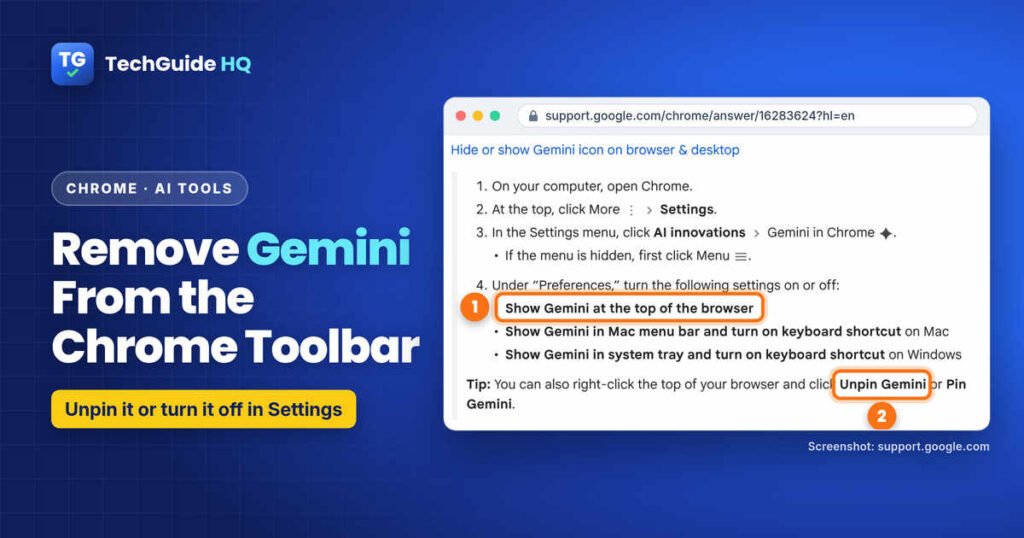
How to remove Gemini from the Chrome toolbar on Windows and Mac: unpin the Ask Gemini button or switch it off in Settings, plus what hiding it does and doesn’t turn off.
Welcome to our AI Tools section, where we explain the AI features showing up in the apps you already use. AI assistants such as Google Gemini, ChatGPT and Microsoft Copilot are now built into browsers, phones and computers, often without you asking for them. Our guides explain what each one does, so you can decide whether to use it.
This category covers practical, everyday questions: how to hide or switch off an AI button you don’t want, which settings control what an assistant can see, how to keep your personal information private, and how to get useful results when you do decide to try one. We follow the official help pages from Google, Microsoft, Apple and OpenAI and use the setting names you’ll actually see on screen.
Seeing a new Gemini button in your browser? Start with How to Remove Gemini From the Chrome Toolbar. It shows both official ways to hide it and explains what that does and doesn’t turn off.
We’re adding new guides regularly, including turning off Copilot in Windows 11 and using AI assistants safely for everyday tasks. Whether you love these tools or would rather avoid them, you’ll find clear, honest help here.
How to remove Gemini from the Chrome toolbar on Windows and Mac: unpin the Ask Gemini button or switch it off in Settings, plus what hiding it does and doesn’t turn off.